
Empowering users to trade derivatives with clarity and control.
Project type: Redesign • My role: Product Design • Timeline: 10 months

Task: Interface Redesign
Redesign Gemini's trading interface to support derivatives: leverage, margin, and position management.
Team:
1 Product Designer, 3 Front End Devs,
1 Product Manager
Problem: Feature Gap
The existing interface wasn't built for derivatives-specific actions (leverage, margin, positions).
Solution: Interface Updates
I added leverage controls, margin management, and a position manager, while improving the existing interface as needed.
Gemini is a crypto company focused on unlocking the next generation of financial freedom.
CONTEXT
Derivatives extends that mission — giving users leveraged access to markets they already trade on, with more ways to participate.
Existing UI had order entry, charts, and balances — but no leverage slider, margin display, or position manager. Users had no way to see risk before placing a derivatives trade.
Our existing interface was built for spot trading. Derivatives needed leverage, margin, and risk controls it didn't have.
PROBLEM
My PM and I split up benchmarking ~8 competitor platforms, focused on how they onboarded users to their first trade and structured their trading interface.
PROCESS / KEY INSIGHTS
What we found became the requirements list — table stakes, not custom features.
KEY INSIGHT #1
The position manager was the most critical UI element — real-time P&L and liquidation price mattered most to users.
Every item listed is table stakes for a derivatives platform. Not custom features, just what users expect walking in.
REQUIREMENTS
Data bar (mark/index price, funding rate/countdown, open interest, contract details)
Order types (limit, market, stop-limit)
Leverage (up to 100x)
Depth chart, orderbook, exchange activity
Margin data (tier, usage, ratio, position margin, available margin)
Position manager (entry/mark price, liquidation price, adjust margin, ADL queue, unrealized P&L, close position)
Responsive: desktop, tablet, mobile
DESIGN 1/4
The full trading view: data bar, order entry, orderbook, position manager together. Everything a trader needs, one screen, no digging.
The Trading Interface
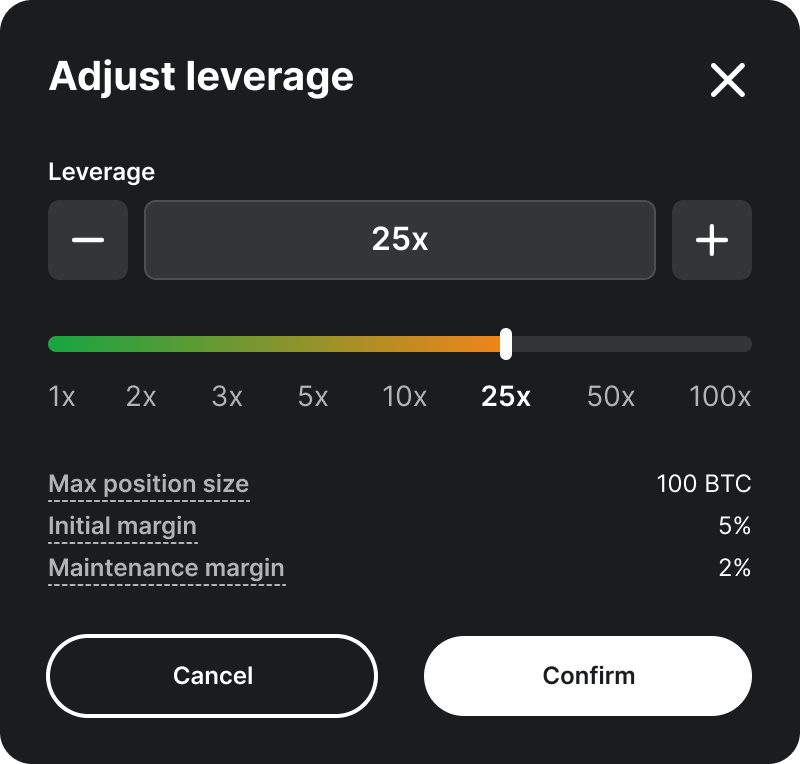
Leverage Adjustment
Set leverage before opening a position and locks in exposure upfront, not mid-trade. Risk should be visible before it's taken, not after.
DESIGN 2/4
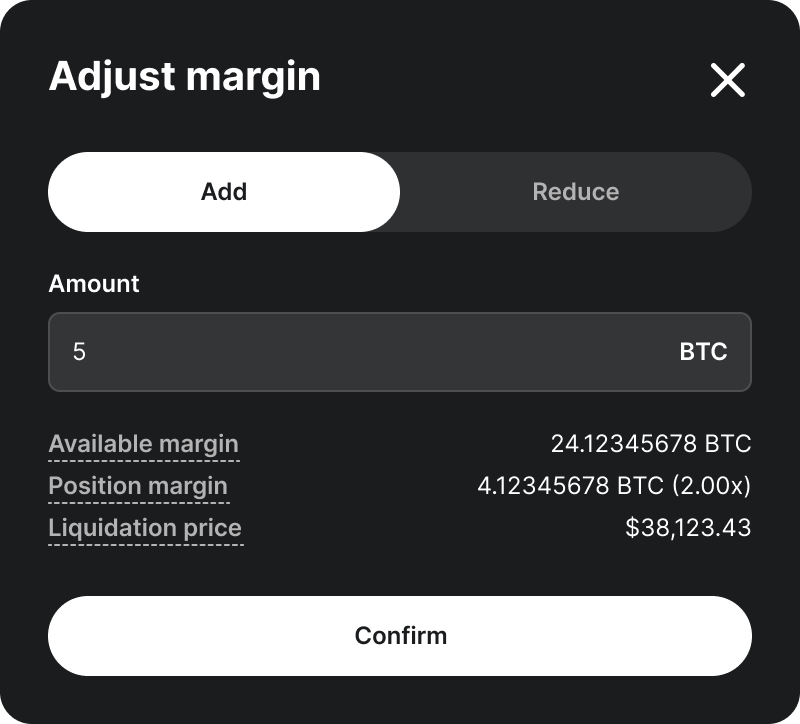
Margin Adjustment
Shows margin usage and lets users add funds to push their liquidation price further away. A warning only helps if it comes with a way to fix it.
DESIGN 3/4
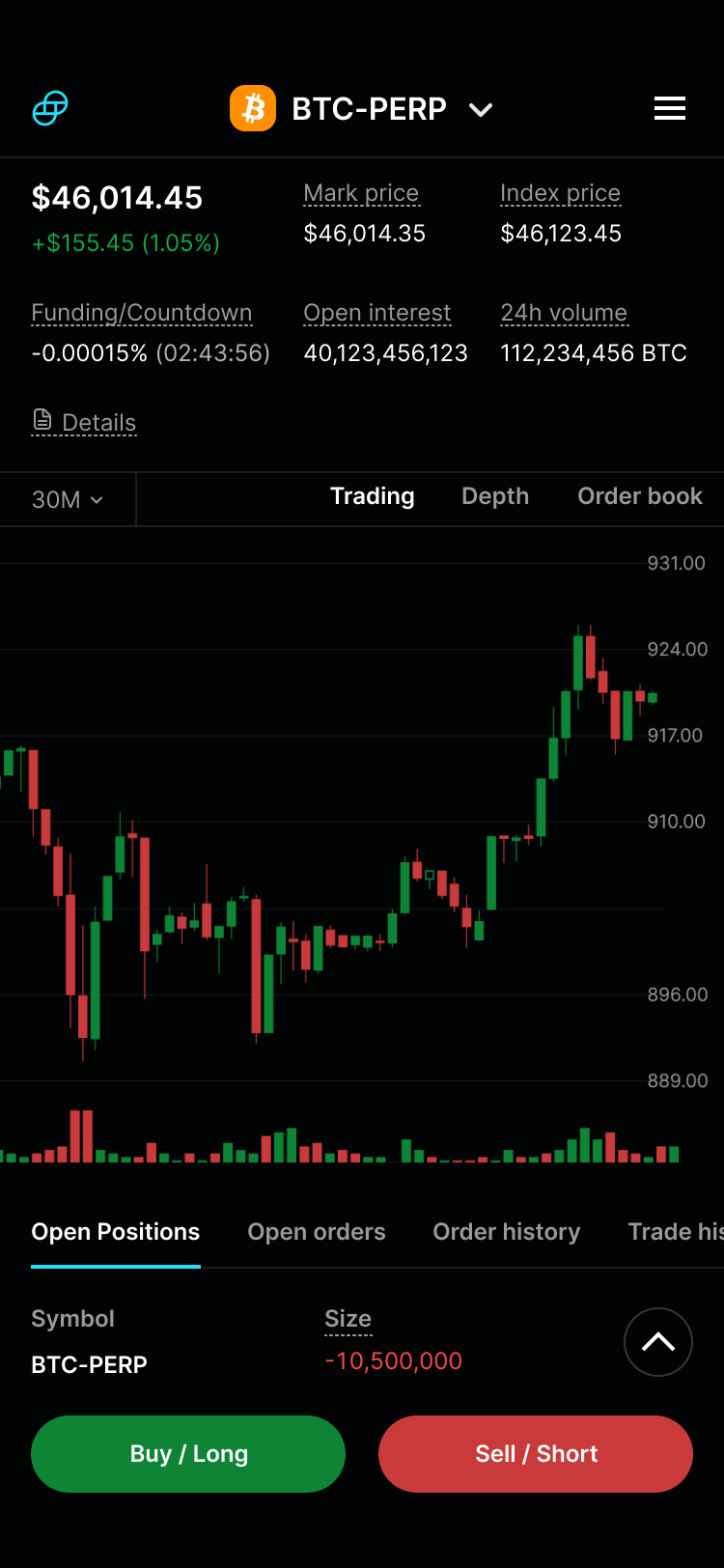
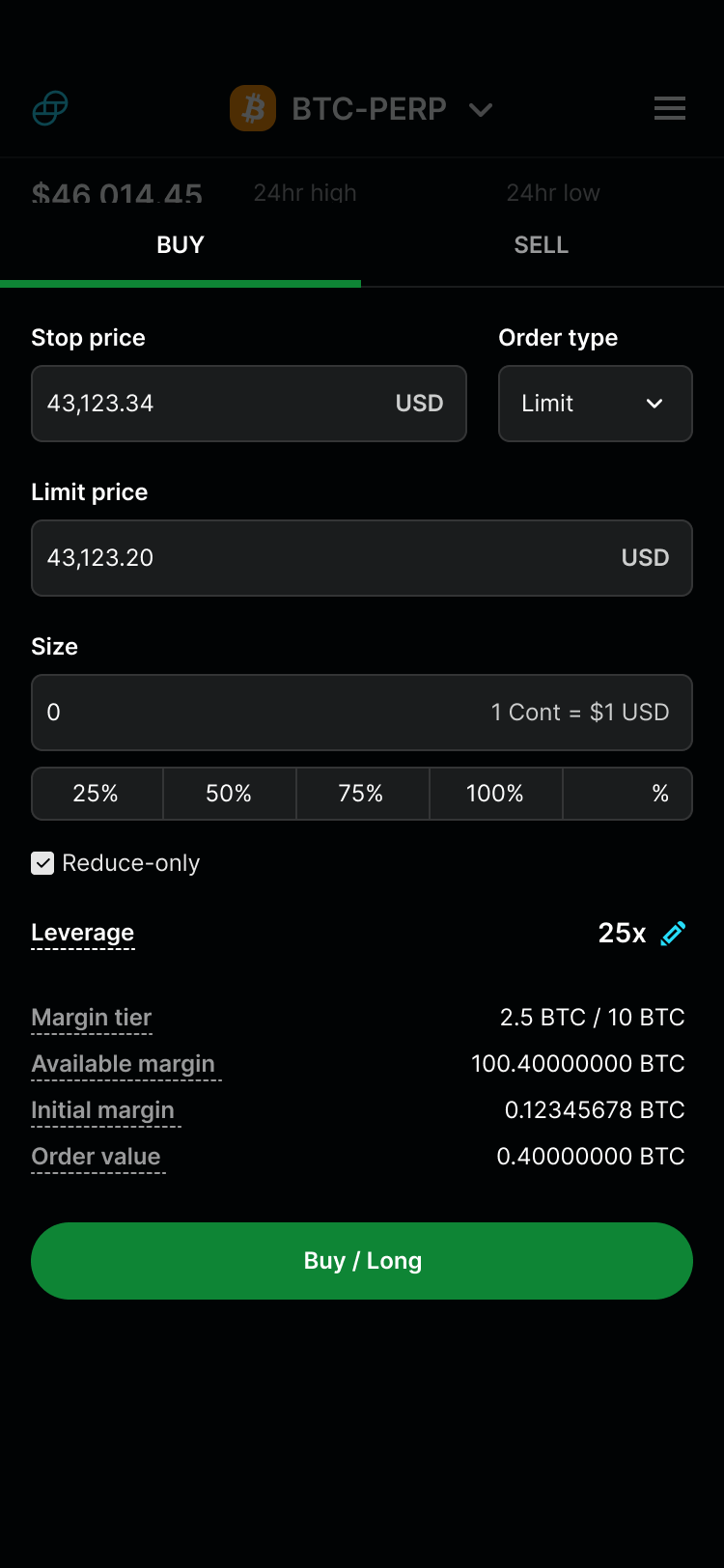
Tablet/Mobile Responsive
Same requirements, smaller viewport. Less space isn't a reason to cut risk data.
DESIGN 4/4
Protected the wrong fees. The same wall that isolated Advanced Trading also split our fees, guarding short-term revenue while competitors unified pricing. Higher volume from unified fees likely would have outearned that short-term dip. I should have pushed harder for it.
RETROSPECTIVE
Wanted to go beyond table stakes. Benchmarking surfaced features we didn't have runway for, conditional order types and chart-based SL/TP adjustment stood out as ones I'd have pushed for.